目前是串payuni第三方金流
準備/安裝環境
- SSL要驗證過,且網站必須支援(TLS) protocol version 1.2 參考
- Apple Button 要符合 Apple 規範[參考]](https://developer.apple.com/apple-pay/marketing/)
- 申請Apple Developer帳號
- 域名認證
- 新增sandbox帳號來做測試
Apple Pay 付款流程
1. 當使用者按下付款按鈕
2. 前端會call server端,使用validationURL去call apple server,進行驗證網域以及Identifiers
3. 成功後會回傳Apple Pay session object,再把此object帶到前端給予completeMerchantValidation(object)進行驗證
4. 若執行付款會call onpaymentauthorized,按下確認會出現綠色勾勾
申請Apple Pay所需資訊
請先到 Identifiers List,建立Apple Pay所需要的認證資訊。
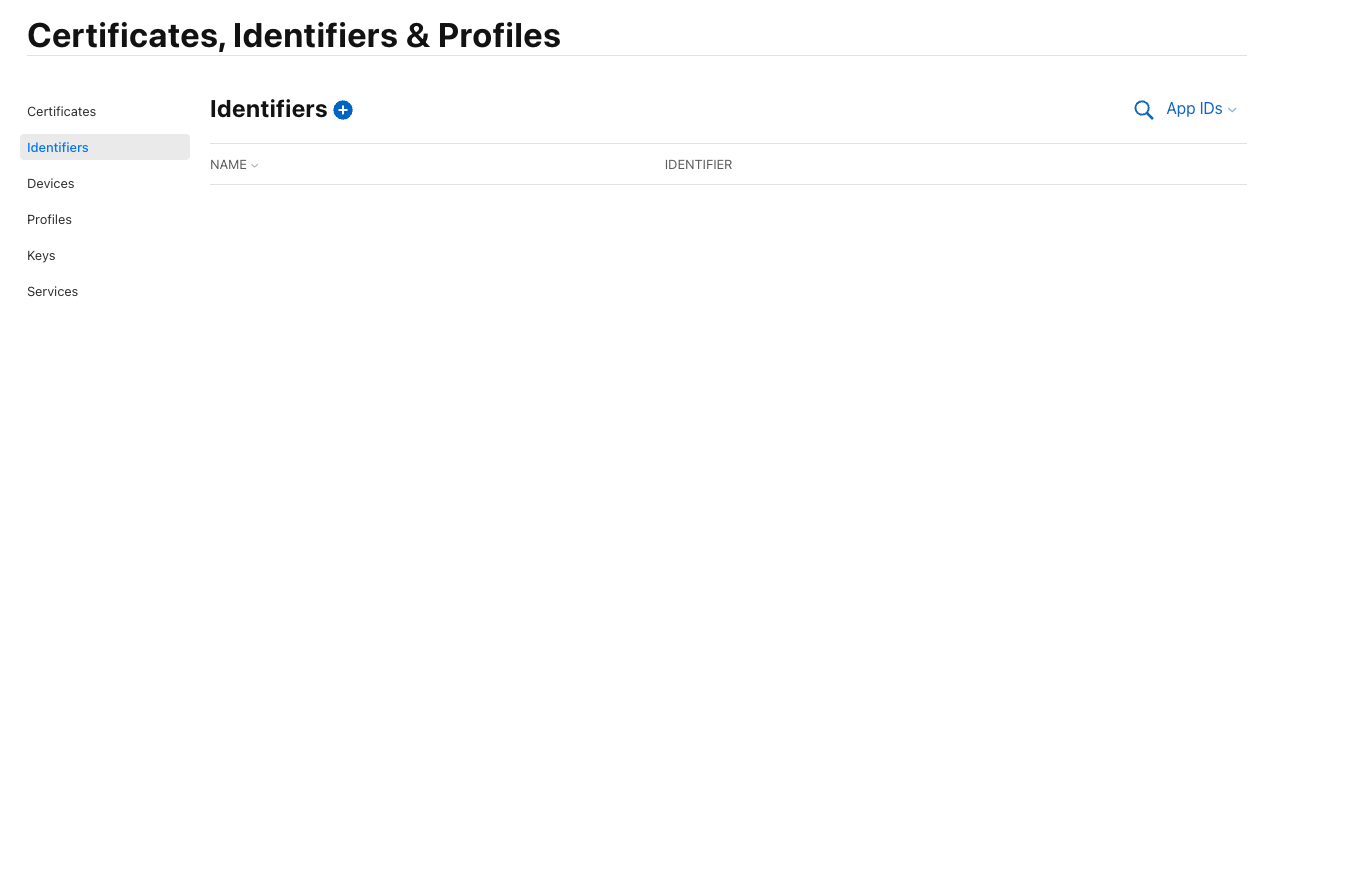
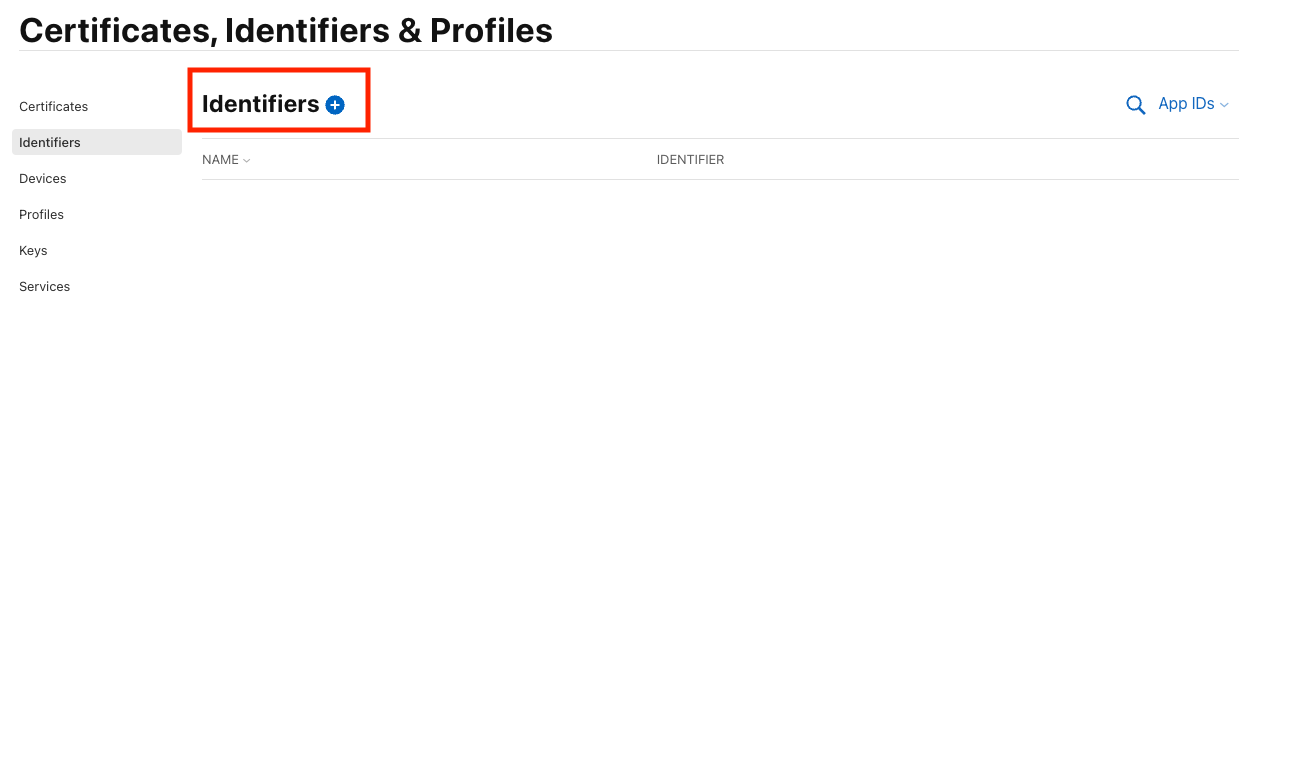
請在紅色框框裡,點選Add Button
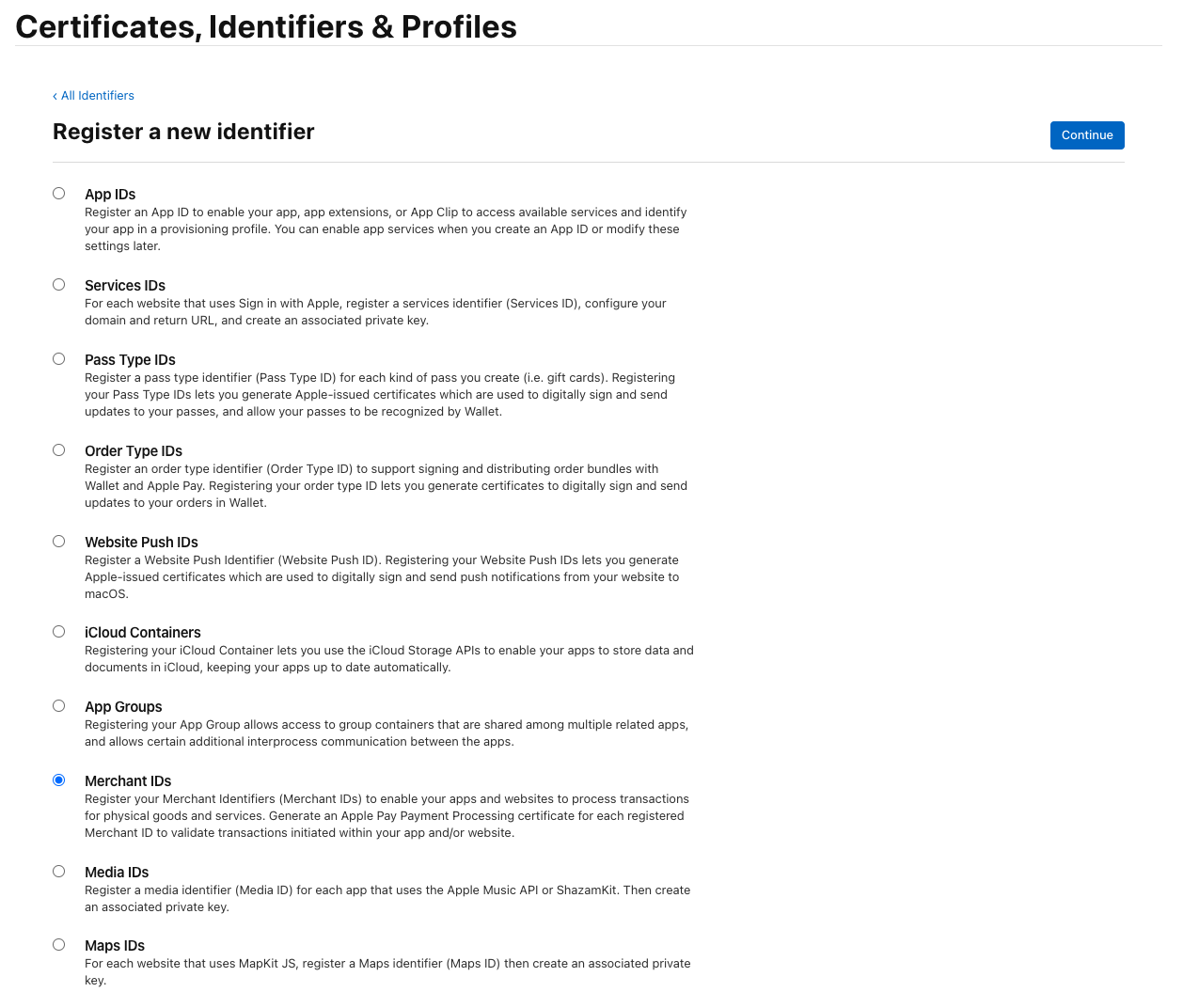
會進來這頁面 add bundleId
選擇 Merchant IDs,並且按下 Continue
來到下一步
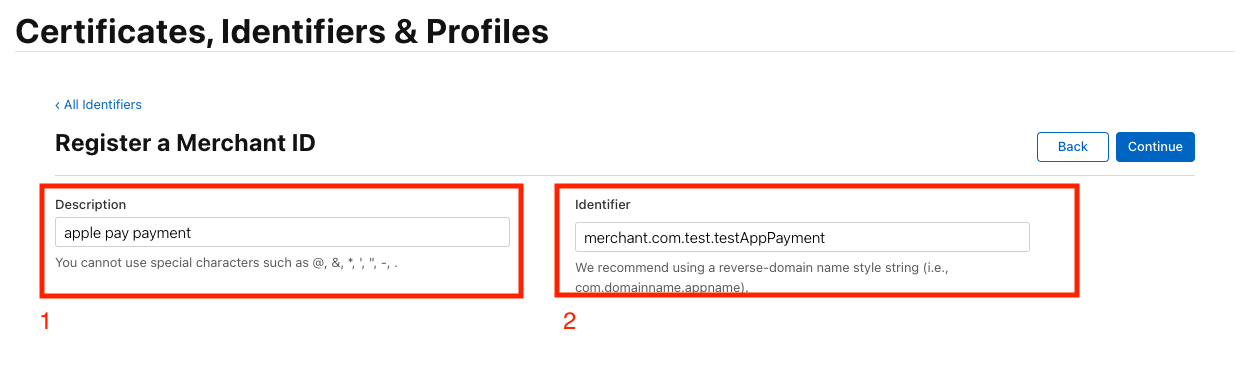
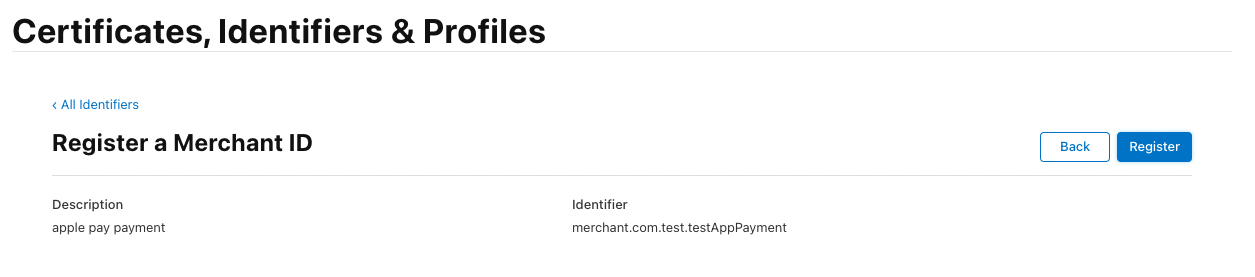
1. Description 請你打上跟這merchant-id要用的部分的解說,方便之後查詢
2. Identifier 建議使用反向domain naming style Ex: merchant.com.test.testAppPayment
確認好資訊後,按下 Register按鈕,切記Identifier創立後是無法更改的
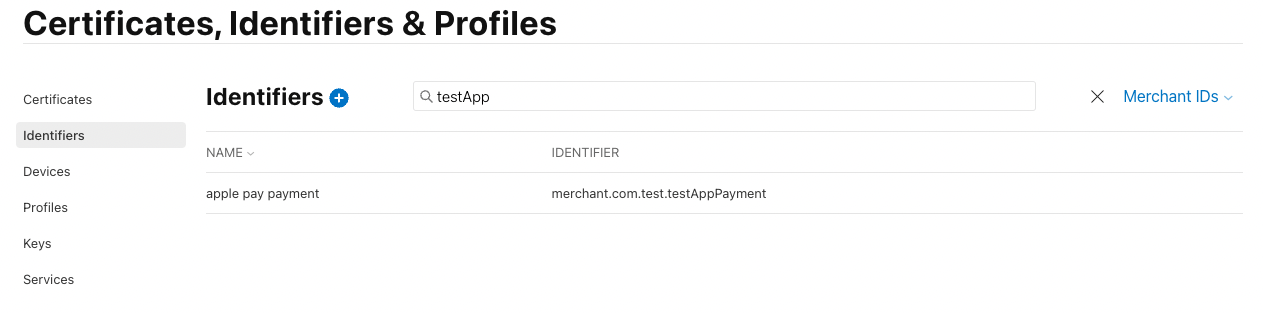
完成後可以在Identifier Merchant IDs List看到
接下來點選剛剛創立的Identifier Merchant ID會進到此畫面
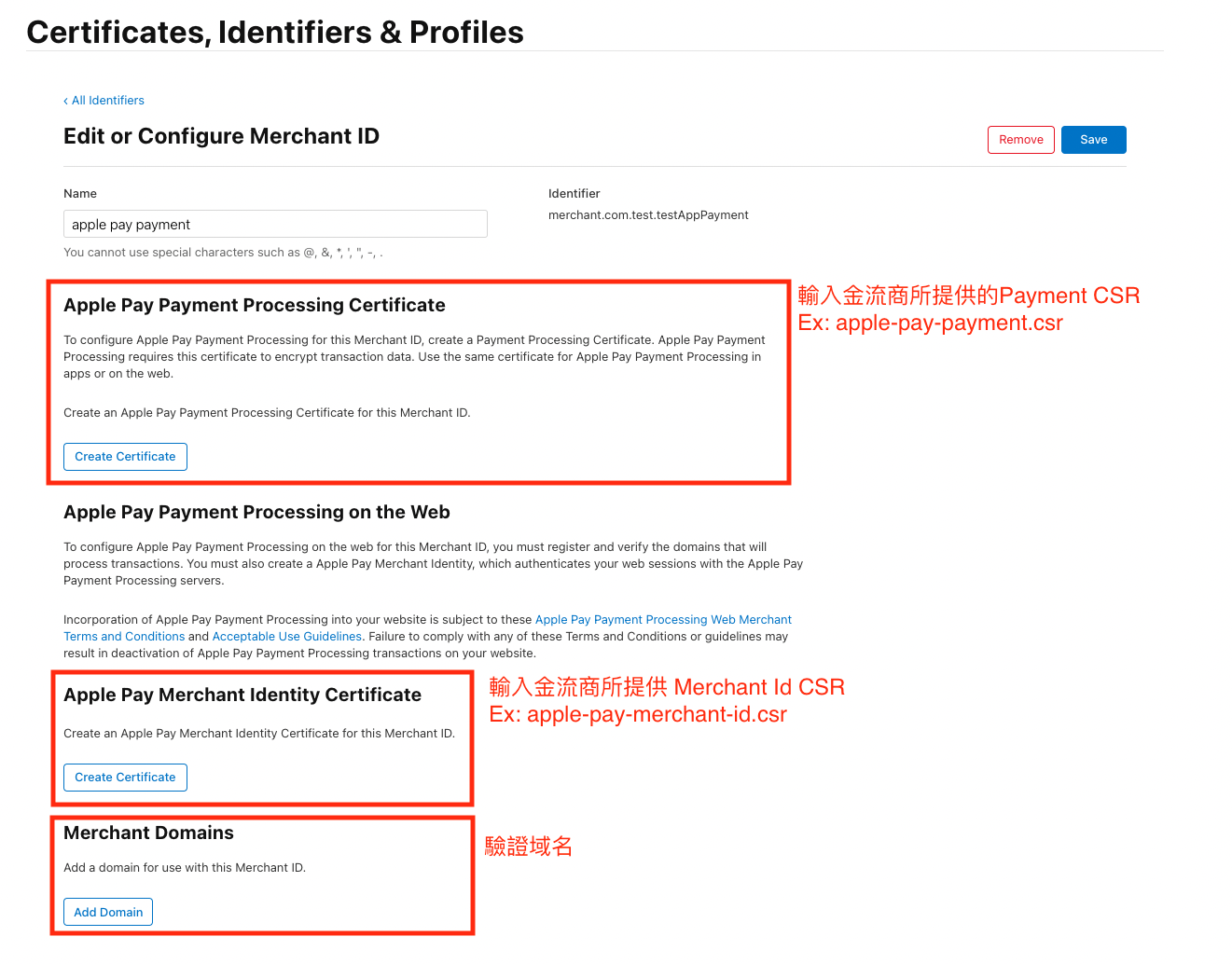
按照這圖片指示上傳,上傳完成後他會分別給你兩個cer檔案
- apple_pay.cer 使用Apple Pay Payment Processing Certificate上傳會給予這檔案
- merchant_id.cer 使用Apple Pay Merchant Identity Certificate上傳會給予這檔案
驗證domain
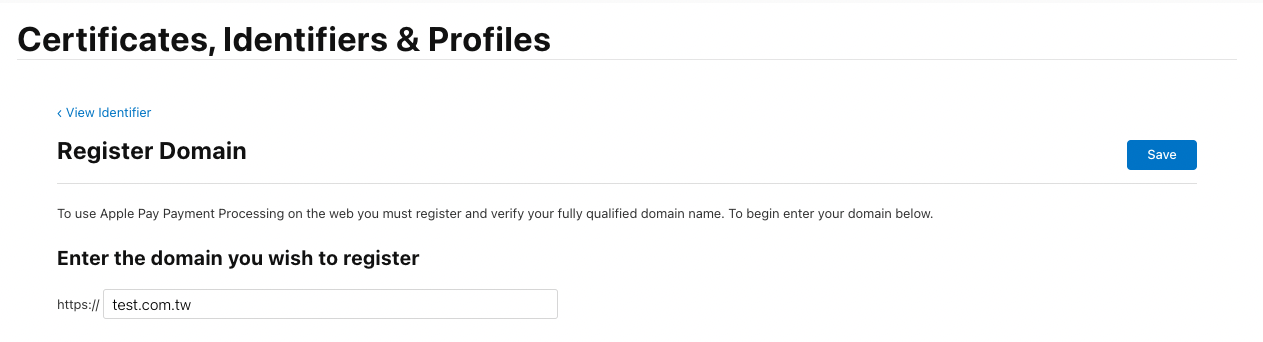
新增domain完成,接下來點選 Download
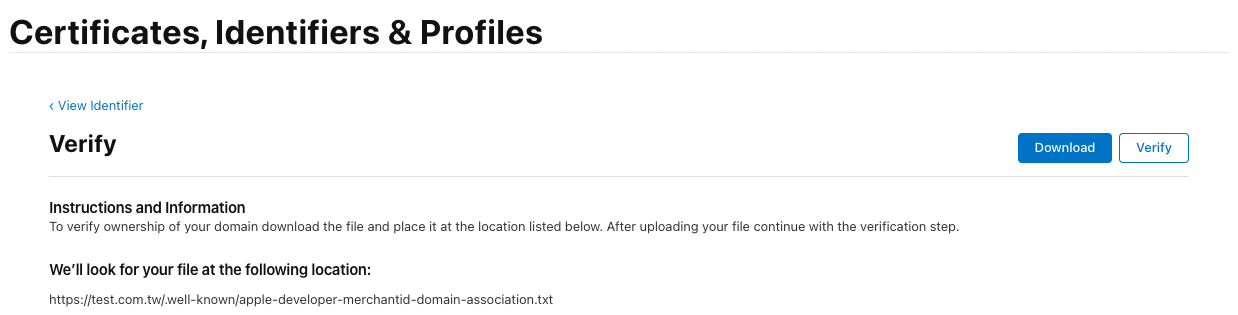
下載後請把 apple-developer-merchantid-domain-association.txt,上傳至你的doamin
Ex:
test.com.tw/.well-known/apple-developer-merchantid-domain-association.txt
在按下verify,他就會進行驗證了
驗證完成
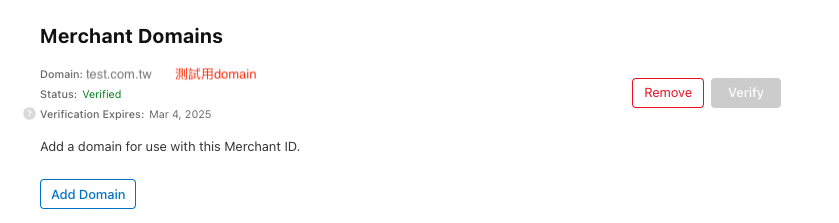
接下來請至SandBox新增測試人員測試帳號,新增完後,請到sandbox,新增信用卡號 (非常重要!之後測試信用卡結帳在sandbox只能使此Apple ID)
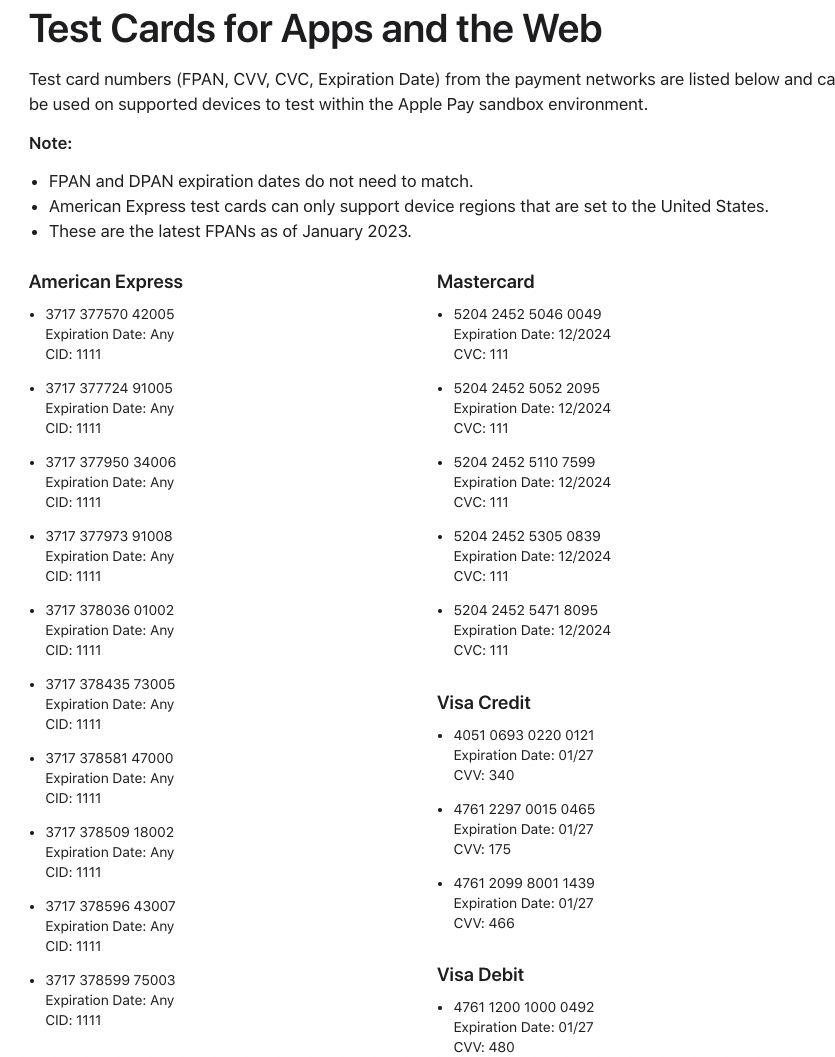
測試時只能用sandbox測試人員帳號下去結帳付款,而無法用線上卡號下去做(必須使用POST)
前端 Sample Code
import { useState, useCallback, useEffect } from 'react';
import { round } from 'lodash';
import storeApi from '@api/storeApiServices'
import { APPLE_MERCHANT_IDENTIFIERS } from '@constants/common'

export const useApplePay = () => {
  const [availableApplePay, setAvailableApplePay] = useState(false);
  const [applePayLoading, setApplePayLoading] = useState(false);
  const checkApplePayIsAvaible = useCallback(async () => {
    setApplePayLoading(true)
    if (window.ApplePaySession) {
      const canMakePaymentsWithActiveCard = window.ApplePaySession.canMakePaymentsWithActiveCard(APPLE_MERCHANT_IDENTIFIERS);
      const canMakePayments = await canMakePaymentsWithActiveCard

      if (canMakePayments) {
        setAvailableApplePay(true)
      }
    }
    setApplePayLoading(false)
  }, [window.ApplePaySession])

  const handleApplePay = (payment, info, price, handleCloseAppleSheet) => {
    // Define ApplePayPaymentRequest
    const request = {
      "countryCode": "US",
      "currencyCode": "USD",
      "merchantCapabilities": [
          "supports3DS"
      ],
      "supportedNetworks": [
          "visa",
          "masterCard",
          "amex",
          "discover"
      ],
      "requiredBillingContactFields": [
        "email",
        "name",
        "phone",
        "postalAddress"
      ],
      "total": {
          "label": "Demo (Card is not charged)",// 會顯示在apple sheet上,價格部分抓在兩位數以內,不然會報錯
          "type": "final",
          "amount": "1.99"
      }
    };

    // Create ApplePaySession 3 version是範例提供支援度也比較廣一點 [參考](https://developer.apple.com/documentation/apple_pay_on_the_web/apple_pay_on_the_web_version_history)
    const session = new window.ApplePaySession(3, request);

    session.onvalidatemerchant = async event => {
      // Call your own server to request a new merchant session.
      const merchantSession = await storeApi.validateAppleMerchants({ paymentServiceUrl: event.validationURL })
      if (merchantSession.status === 200) {
        session.completeMerchantValidation(merchantSession['data']);
      } else {
        session.completeMerchantValidation({ 'status': window.ApplePaySession.STATUS_FAILURE })
      }
    };

    session.onpaymentmethodselected = event => {
        // Define ApplePayPaymentMethodUpdate based on the selected payment method.
        // No updates or errors are needed, pass an empty object.
        const update = {};
        session.completePaymentMethodSelection(update);
    };

    session.onshippingmethodselected = event => {
        // Define ApplePayShippingMethodUpdate based on the selected shipping method.
        // No updates or errors are needed, pass an empty object.
        const update = {};
        session.completeShippingMethodSelection(update);
    };

    session.onshippingcontactselected = event => {
        // Define ApplePayShippingContactUpdate based on the selected shipping contact.
        const update = {};
        session.completeShippingContactSelection(update);
    };

    session.onpaymentauthorized = event => {
        // Define ApplePayPaymentAuthorizationResult
        const result = {
            "status": ApplePaySession.STATUS_SUCCESS
        };
        session.completePayment(result);
    };

    session.oncouponcodechanged = event => {
        // Define ApplePayCouponCodeUpdate
        const newTotal = calculateNewTotal(event.couponCode);
        const newLineItems = calculateNewLineItems(event.couponCode);
        const newShippingMethods = calculateNewShippingMethods(event.couponCode);
        const errors = calculateErrors(event.couponCode);

        session.completeCouponCodeChange({
            newTotal: newTotal,
            newLineItems: newLineItems,
            newShippingMethods: newShippingMethods,
            errors: errors,
        });
    };

    session.oncancel = event => {
      // Payment canceled by WebKit
      // session.abort(); // maybe not*/
    };

    session.begin();
  }

  useEffect(() => {
    checkApplePayIsAvaible()
  }, [checkApplePayIsAvaible])

  return {
    applePayLoading,
    availableApplePay,
    handleApplePay
  };
};
參數說明
session.onvalidatemerchant驗證商家merchant是否通過Apple驗證Pay。session.onpaymentauthorized當驗證商家通過,出現購買按鈕時,當使用者點下去按鈕會觸發此事件。applePayLoading當init page時,確認商家是否可以使用,在資料回傳時,會顯示讀取中。availableApplePay用於確認是否可以使用Apple Pay,可以的話再顯示Apple。handleApplePay處理整個Apple Pay過程(當使用者點選按鈕時)。
後端 Sample Code
module V1
  class Apps < Grape::API
    resource :apps do
      desc 'verify app domain'
      post :qna_comment do
        params do
          optional :validation_url, type: String, desc: 'validationURL'
        end
        begin
          uri = URI(validation_url)
          http = Net::HTTP.new(uri.host, uri.port)
          http.use_ssl = true
          http.cert = OpenSSL::X509::Certificate.new(File.read(Rails.root.join("config", "apple-pay-#{Rails.env}.cer.pem")))
          http.key = OpenSSL::PKey::RSA.new(File.read(Rails.root.join("config", "apple-pay-#{Rails.env}.key")))
          request = Net::HTTP::Post.new(uri)
          request['Content-Type'] = 'application/json'
          request.body = {
            'merchantIdentifier' => 'merchant.com.test.testAppPayment', # Identifier name
            'displayName' => 'App商店',
            'initiative' => 'web',
            'initiativeContext' => 'test.com.tw'
          }.to_json

          response = http.request(request)

           # handle api response
          if response.code == '200'
            { success: true, data: response.body }
          else
            { success: false, error: response.body }
          end
        rescue Exception => e
          error!("handle error: #{e.message}", 400)
        end
      end
    end
  end
end
REFERENCE / 2